
Share one clear update.
Post a club announcement to your licensed teams’ shared channels. Coaches, accepted parents and athletes can find it with their team.
SIDEOUT FOR CLUB DIRECTORS
Clearer communication for coaches and families. A view across your teams. Film, stats and feedback to help you understand what each athlete needs next.
Club Director access across your club’s licensed teams.
FEWER PLACES TO CHECK
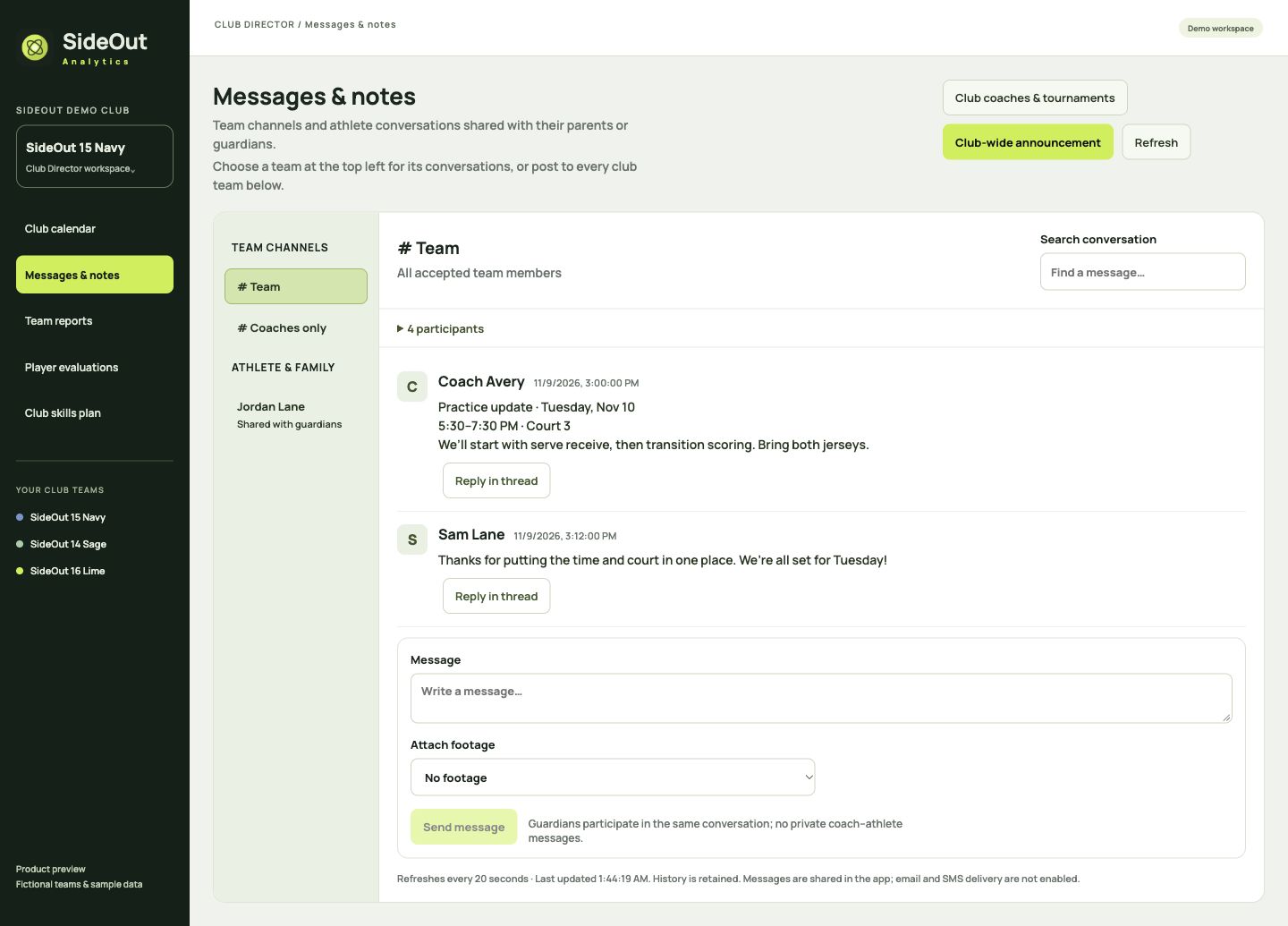
Keep club announcements, team updates and athlete feedback in SideOut, with a clear audience for each conversation.
Post a club announcement to your licensed teams’ shared channels. Coaches, accepted parents and athletes can find it with their team.
Conversations with an athlete include their active linked guardians and team coaches. Separate parent and athlete logins stay connected to the same roster profile.
Coordinate staff and tournament plans in coaches-only conversations. Parents and athletes don’t see those discussions.
Messages are shared inside SideOut today. Automatic remote push alerts and reminders are planned. How notifications work ↗
THE WHOLE CLUB, IN VIEW
See your club’s practices, tournaments and qualifiers together. Filter by team or event type, check the weekend, or open a day to review court times.
Coaches can also see their own teams together, so a second team doesn’t mean a second calendar to piece together.
Explore schedules ↗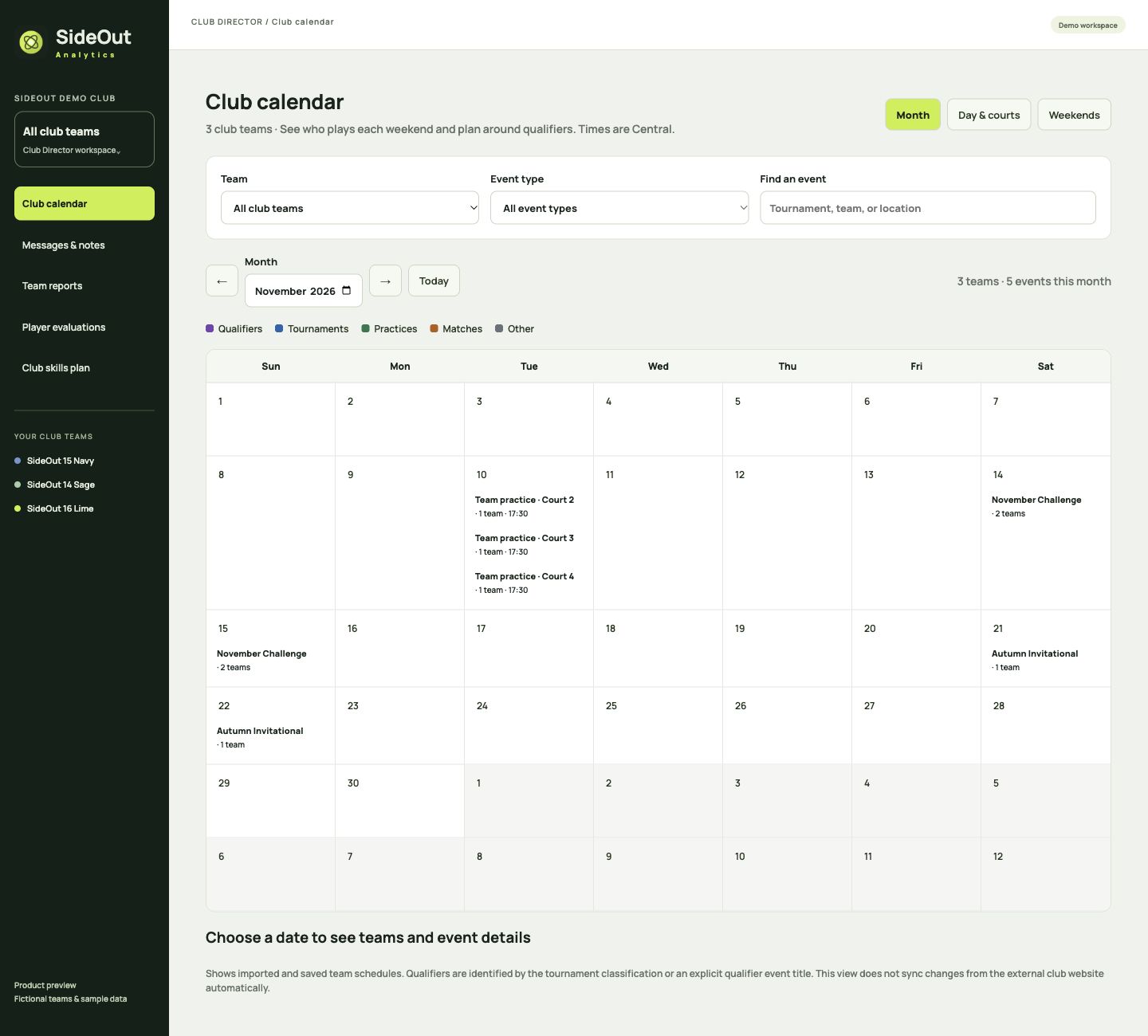
LOOK INSIDE EACH TEAM
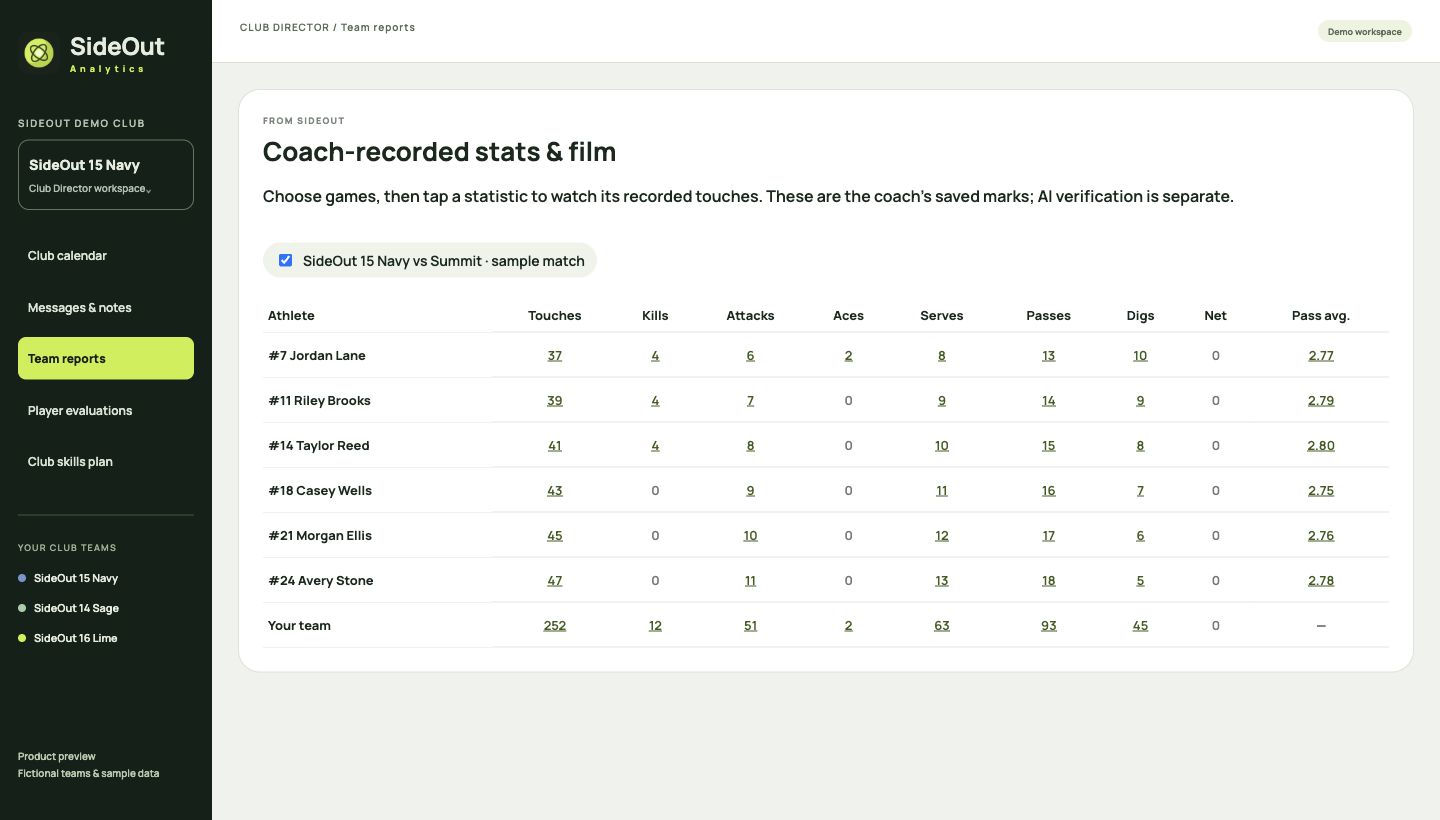
Open an authorized team to review its shared film, player statistics and team reports. See the work behind the numbers and give coaches a clearer starting point for the next practice.
Use coach-recorded stats with linked film when available. Automatic video analysis is an optional Coach AI add-on, billed separately.
MAKE DEVELOPMENT VISIBLE
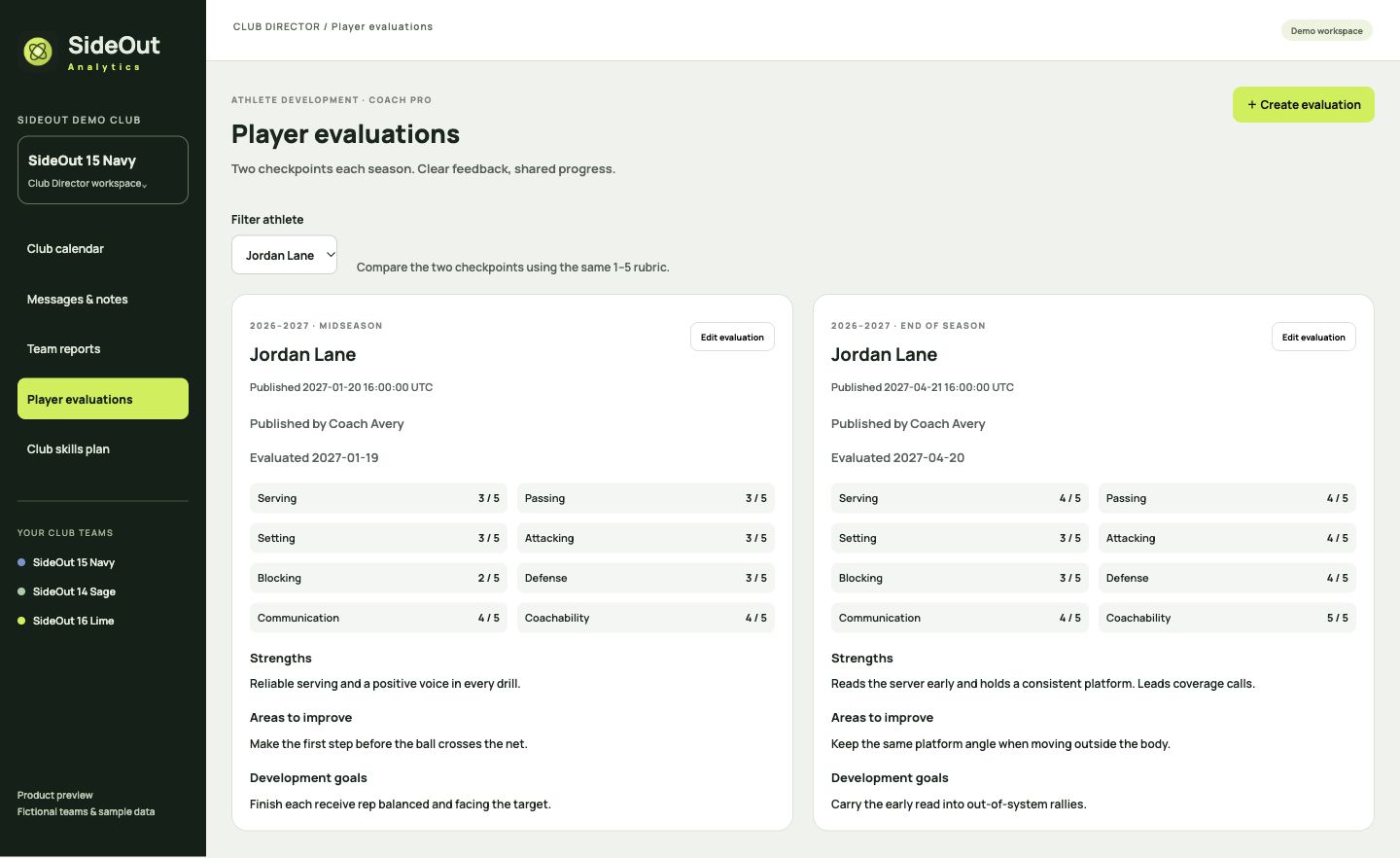
Compare an athlete’s midseason and end-of-season evaluations using the same skill ratings. Keep strengths, areas to improve and next goals alongside the season’s coaching work.
Coaches prepare feedback privately, then publish it for that athlete and their linked family. Directors can review evaluations within their authorized teams.
A longer-term athlete profile across teams, age groups and seasons. Today’s evaluations and reports stay within each team.
WHEN YOUR TEAMS TRAIN TOGETHER
For clubs that start practice with shared skills, put the opening 30 minutes in one published lesson. Give each group a court, a coach and a clear focus before practice starts.
The plan appears in the participating teams’ practice events, so coaches and families can check the assignments in the same place.
Read the club skills guide ↗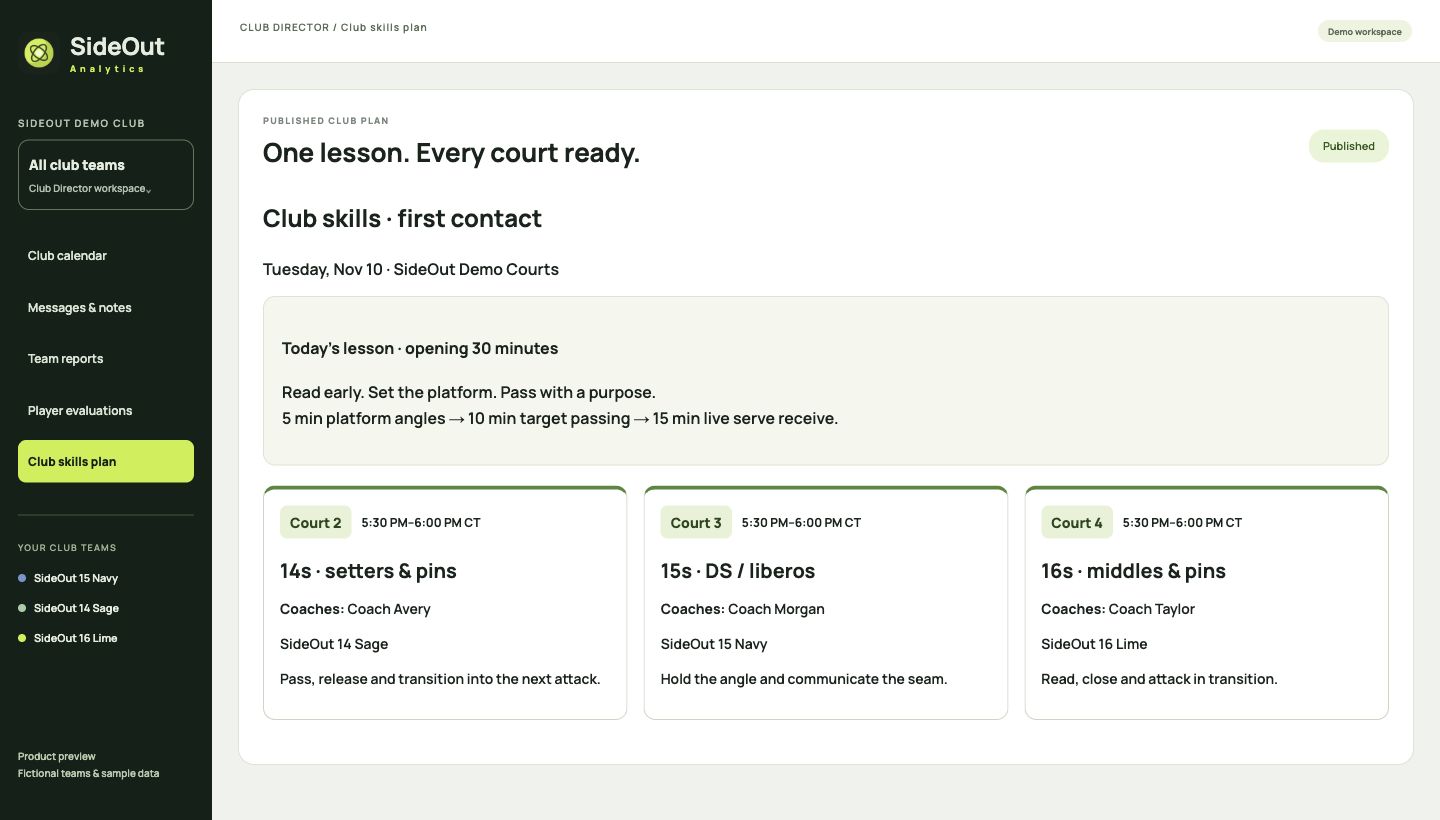
Add drills and progressions. Assign courts, coaches, teams and position groups. Name individual athletes when needed.
Save draft keeps preparation private. Save publishes quietly. Save & message coaches also posts the lesson and assignments to the staff conversation.
Duplicate a club lesson to a new date as a private draft, then adjust it for the day. Coach Team and Pro coaches can create, duplicate and customize lessons for their own teams.
Directors and developers edit shared club plans. Team coaches, parents and athletes see published assignments through their practice event. Staff discussion stays private to coaches.
CONNECTED ACCOUNTS. CLEAR ACCESS.
Manage the club across approved teams while each coach and family sees the tools and information relevant to them.
Explore accounts & access ↗Manage licensed teams, review their work and publish shared club skills plans and court assignments.
Run their authorized teams, teach from team lessons and coordinate with staff. A combined schedule shows their teams together.
Separate logins stay linked to the same athlete. Parents create the athlete’s setup link. Both can view shared film, stats and that athlete’s published evaluations.
TRANSPARENT COMMUNICATION
Conversations with an athlete include their accepted account, active linked parents or guardians, accepted team coaches and the team owner. A guardian must accept before messaging begins. Coach-to-coach discussions are separate, staff-only conversations.
These features support transparent communication. SideOut is not certified or endorsed by the U.S. Center for SafeSport. Learn how shared access works ↗
CLUB DIRECTOR
One custom annual agreement for your club’s licensed teams, with director access, Pro team tools and club-wide coordination.
Discuss a club planClub announcements and lesson summaries are shared inside SideOut. Automatic remote push alerts and event reminders are planned; they are not enabled today. Athlete profiles across teams and seasons are on the roadmap.
Read about notifications ↗Tell us about your teams, coaches and courts.
Start the conversation Compare all plans ↗